




Multiple Sound Furni in One Room & Hidden Trax Equaliser Parameter Spotted
Written by: Alynva
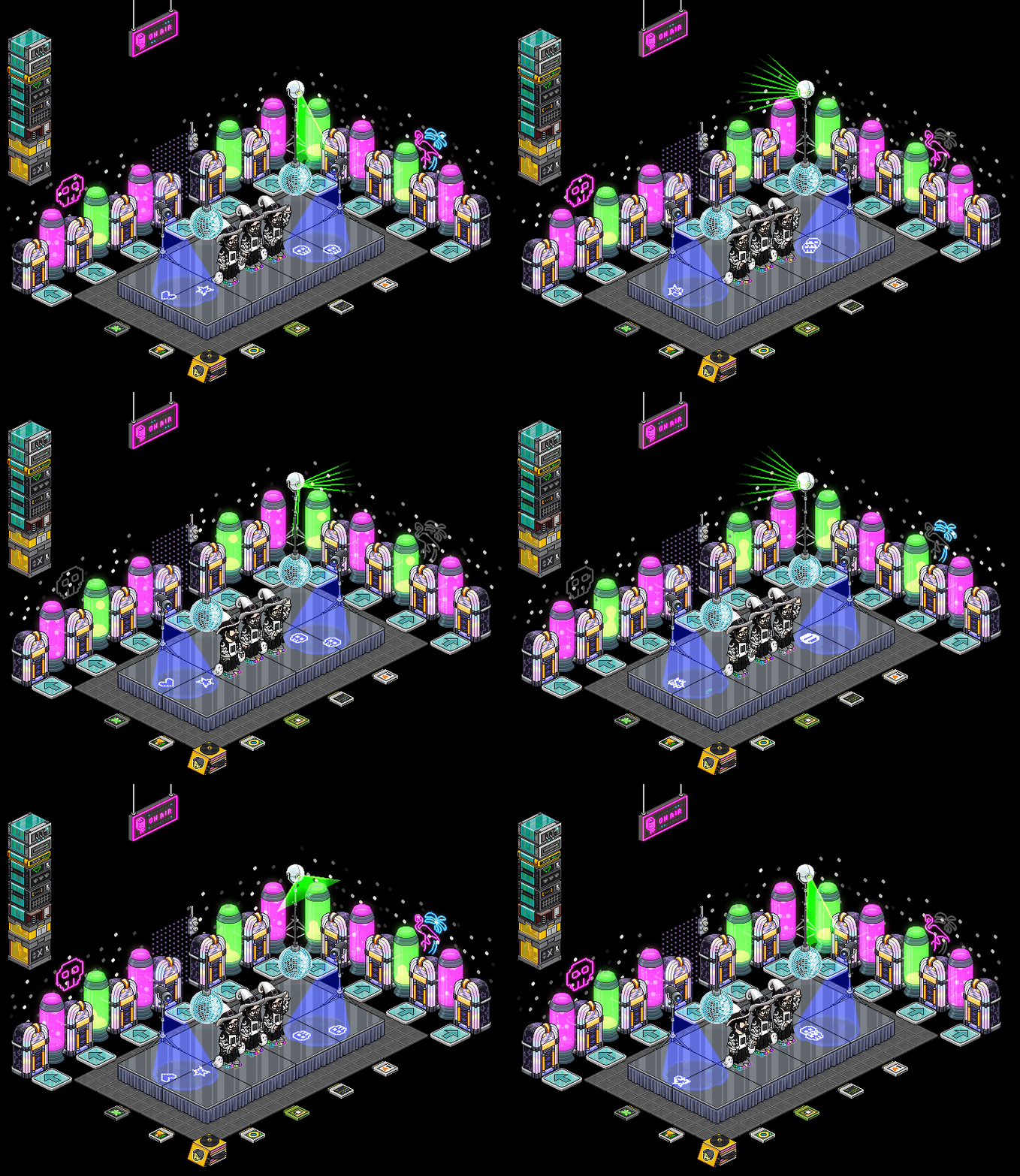
Yesterday’s server maintenance (08/09/26) brought a pair of very intriguing, and entirely unannounced and unconfirmed, Trax-related developments! Neither change was mentioned in official patch notes, but community testing quickly uncovered hidden configuration flags and the removal of decades-old room placement limits.
Here is everything we’ve discovered so far.
1. Multiple Sound Furni in the Same Room
For as long as Traxmachines and Jukeboxes have existed, Habbo enforced a strict room restriction: only one sound item could be placed per room. Attempting to drop a second sound furni into a room was always blocked by the game.
Without any official announcement or commentary from staff, that long-standing limitation was quietly lifted during yesterday’s update! Players can now place multiple sound furni, including both Traxmachines and Jukeboxes, inside the exact same room.
Known Client Interface Glitch
Because this change hasn’t been officially addressed or polished by the developers yet, the client user interface isn’t fully adapted. If you try to open the settings UI of multiple sound furni while inside the same room, the client-side UI glitches and fails to recognize the active state cleanly.
The Wired Workaround & Functionality
Despite the UI glitch, the underlying playback engine handles multiple items surprisingly well when controlled externally.
If all sound items in the room are properly pre-configured ahead of time, you can easily control them using Wired:
- Toggle On/Off: Use Wired triggers and actions to turn specific Traxmachines or Jukeboxes on or off on demand.
- Seamless Track Switching: Triggering a new sound furni via Wired will immediately start playing that item’s playlist, stopping or taking over from the previous active unit.
- Hiding Furni with Room Area Hider: If you want a clean room layout, you can use the configuration item Room Area Hider to hide all but one of your sound furni. As long as at least one sound furni remains visible in the room, the client will successfully initialize the playback engine, allowing all hidden units to function perfectly.
Important Caveat: Avoid dynamically toggling sound furni between visible and hidden areas during room operation. The moment a visible sound furni becomes hidden, the client interprets this as a lifecycle trigger to unload the playback engine, immediately stopping all audio. To prevent this, keep your designated visible furni permanently visible and control music switching strictly via Wired state toggles!
This opens up awesome new possibilities for room designers, allowing for interactive DJ booths, room background music triggers, multi-zone soundscapes, and automated playlist switching!
2. Unannounced Parameter: trax.equaliser.enabled
Alongside the room placement changes, another unannounced development was spotted in the game variables yesterday: trax.equaliser.enabled=false.
Like the multi-furni behavior, this parameter is a yet to be announced or confirmed development. It is currently set to false, and with no official word from Habbo, its exact intended behavior remains unknown. However, the name strongly hints at potential equalizer controls, frequency adjustments, or audio DSP features being experimented with behind the scenes.
3. Habbo’s Tech Stack Shift: A Sign of What’s to Come?
On the very same day as the maintenance update, Habbo published an official article titled Building Habbo’s Next Chapter, announcing that they are actively working on a new web/HTML5 version for the classic client.
Adding further context to the news, developers working on the project clarified that this isn’t a brand-new client redesign or a web-only experiment, but rather a direct 1-to-1 port of the classic client built on an upgraded tech stack, which will power both web browser and standalone application builds.
This 1-to-1 transition onto modern technology provides crucial context for why these unannounced Trax changes and parameters are surfacing. Porting the classic client engine onto an upgraded technical foundation allows developers to eliminate legacy constraints, such as the 1-sound-furni-per-room cap, while opening the door for audio enhancements (like the equalizer flag) without altering the classic hotel experience.
We will keep a close eye on future updates as developers continue working on the client transition and iterating on these unannounced developments.
Have you tried setting up multiple Jukeboxes with Wired in your room yet? What features are you hoping to see from a potential Trax equalizer in the new HTML5 client? Join the Traxmachine Discord community to share your room builds, experiment results, and theories!